
📦 Download WinRAR 7.1 (64-bit) – Best File Compression and Extraction Tool for Windows
📝 Overview
WinRAR 7.1 is the world’s most trusted file compression and extraction software, designed to handle RAR, ZIP, and over 20 archive formats with lightning-fast speed and powerful security.
Developed by RARLAB, this version brings improved performance, enhanced encryption, and modern Windows integration for effortless file management.
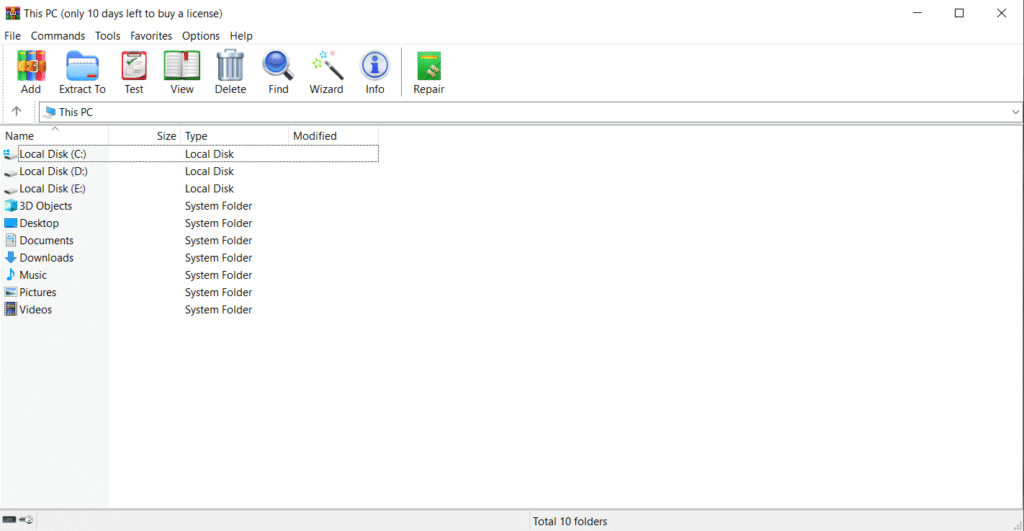
Whether you’re creating backups, compressing large files to save space, or extracting downloaded archives, WinRAR 7.1 offers an intuitive interface and advanced compression algorithms that make it a must-have utility for every Windows PC.
⚙️ Key Features
- 📁 Support for All Formats: Extracts and compresses RAR, ZIP, ISO, CAB, TAR, 7z, and more.
- ⚡ Fast Compression Engine: Uses advanced algorithms for smaller archive sizes and faster processing.
- 🔒 Strong Encryption: Protect files with AES-256-bit password encryption.
- 🧰 Easy File Management: Add, repair, or test archive integrity in a few clicks.
- 💡 Integrated with Windows Explorer: “Right-click → Extract” or “Add to Archive” directly from context menu.
- 🌐 Multilingual Support: Available in over 40 languages.
- 🧩 Split Archives: Divide large archives into smaller parts for easy sharing.
- 🧹 Repair Damaged Archives: Built-in recovery and repair tools for corrupted files.
- 🔄 Regular Updates: Continuous support for the latest Windows builds and file systems.
- 🎨 Dark Mode Support: Smooth and modern interface design for Windows 10 & 11.
💻 System Requirements
Operating System: Windows XP / 7 / 8 / 10 / 11 (32-bit & 64-bit)
Processor: Intel or AMD Dual-Core CPU
Memory (RAM): 512 MB minimum (1 GB recommended)
Storage: 20 MB of free disk space
Display: 1024×768 resolution or higher
🔑 License Information
Version: WinRAR 7.1
License Type: Trialware (40-day free trial, then optional license)
Developer: RARLAB
Release Type: Offline Installer
✅ WinRAR 7.1 includes a 40-day trial version that remains fully functional even after expiration (non-commercial use).
📥 Download & Installation Steps
- Click the “Download” button below to get the WinRAR 7.1 setup file.
- Run
winrar-x64-701.exe(or x86 version for 32-bit systems). - Follow on-screen instructions to complete installation.
- WinRAR will automatically integrate into your right-click context menu.
- Start compressing or extracting files instantly!
💡 Recommended Tools (Optional)
👉 Download 7-Zip – Free Alternative Extractor
👉 Download PeaZip – Lightweight File Archiver
⚠️ Disclaimer
This post provides the official WinRAR 7.1 trial setup for personal or educational use.
All rights belong to RARLAB.
Always download from trusted sources to ensure software authenticity.









