

📘 Download Vyapar App 9.8.9.0 for Windows – Billing, Inventory & GST Accounting Software
📝 Overview
Vyapar App 9.8.9.0 is a powerful GST billing and business accounting software designed specially for small and medium businesses in India. It helps shopkeepers, wholesalers, traders, and service providers manage invoicing, inventory, payments, estimates, and business reports with complete ease.
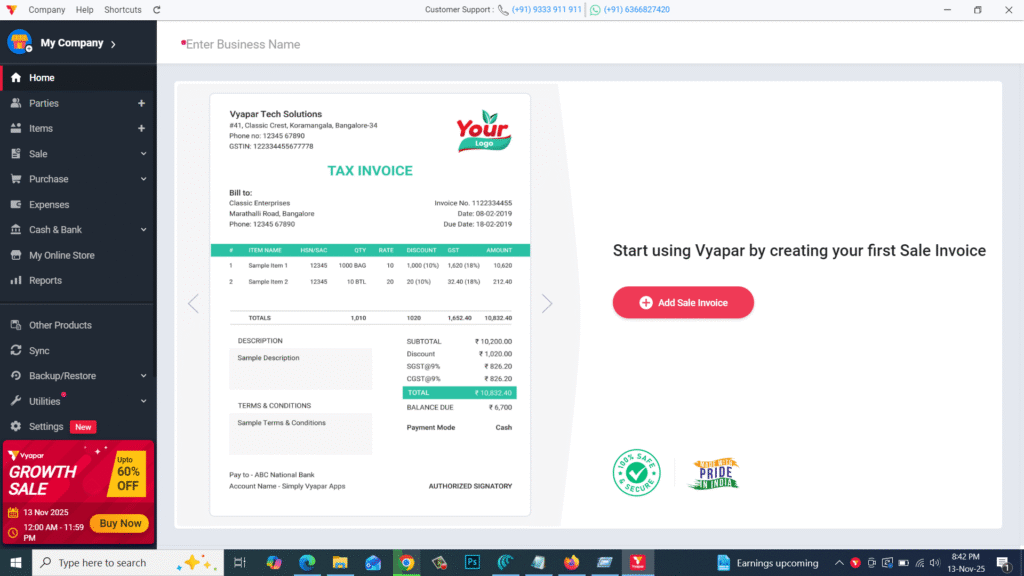
This desktop version offers improved performance, seamless data handling, and enhanced security to ensure smooth day-to-day business operations. Whether you manage a retail shop, wholesale business, or service industry — Vyapar makes accounting fast, accurate, and hassle-free.
⚙️ Key Features
- 🧾 GST Billing & Invoicing – Create professional GST invoices in one click.
- 📦 Inventory Tracking – Manage stock-in/out, batches, expiry, and low-stock alerts.
- 💰 Expense & Payment Management – Track payments, dues, and business expenses.
- 📊 Financial Reports – Generate GST reports, P&L, sales summary, and ledger reports.
- 📱 Multi-Device Sync – Access and update business data across platforms.
- 🔁 Backup & Restore – Automatic and manual backup support for data safety.
- 🧮 Accounting Tools – Manage ledgers, parties, cash flow, balances, and tax summaries.
- 🧾 Estimate & Quotation – Create quotations and convert them to invoices easily.
- ⚡ Fast & Lightweight – Smooth performance even on low-end systems.
- 🛡️ Secure Business Data – Encrypted storage and local database support.
💻 System Requirements
Software Name: Vyapar App 9.8.9.0
Developer: Vyapar Tech Solutions Pvt. Ltd.
Supported OS: Windows 7 / 8 / 10 / 11 (64-bit recommended)
Minimum Requirements:
- CPU: Dual-Core Processor
- RAM: 2 GB (4 GB recommended)
- Storage: 500 MB free disk space
- Display: 1024×768 resolution
- Internet: Needed for sync, updates & cloud backup (optional)
🔑 License Information
Version: 9.8.9.0
License: Free Trial / Premium Subscription Plans
Developer: Vyapar Tech Solutions
Release Type: Offline Installer (Stable Version)
📥 Download & Installation Steps
- Click the download button to get the setup file.
- Run Vyapar_9.8.9.0_Setup.exe.
- Follow the installation wizard instructions.
- Complete installation and open Vyapar.
- Create your business profile and start billing instantly.
💡 Recommended Tools (Optional)
👉 Tally Prime 6.1
👉 Busy Accounting Software
👉 Marg ERP 9+
👉 GST Offline Tool
👉 WinRAR / 7-Zip Extractor
⚠️ Disclaimer
Vyapar App is developed and owned by Vyapar Tech Solutions Pvt. Ltd.
All trademarks, product names, and logos belong to their respective owners.
This installer is provided strictly for educational and support purposes.
Password : www.softfiles.in









