
🖥️ Download VirtualBox 6.1.36 for Windows – Free Virtualization & OS Testing Software
📝 Overview
VirtualBox 6.1.36 is a powerful and open-source virtualization software developed by Oracle, designed to let users run multiple operating systems simultaneously on a single machine.
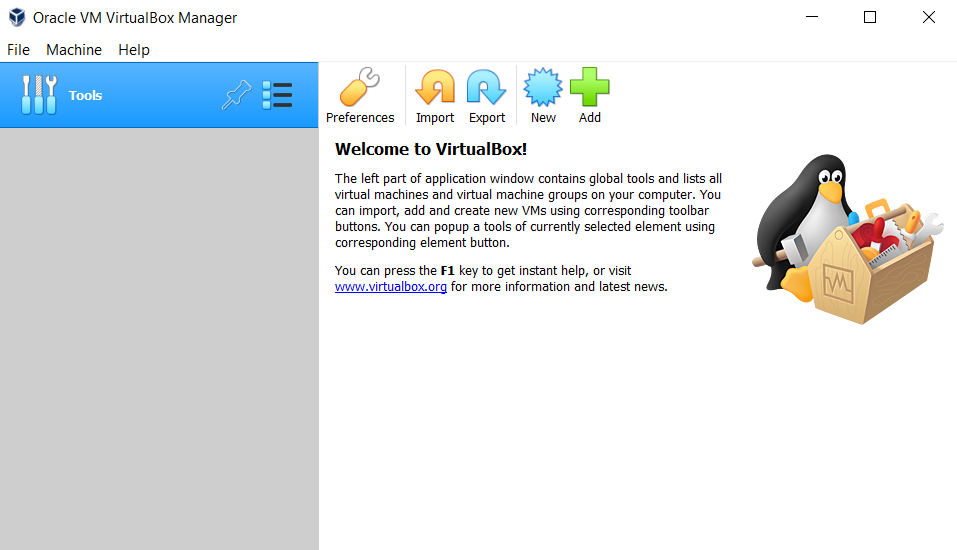
It is widely used by developers, IT professionals, penetration testers, and students for testing different OS environments such as Windows, Linux, macOS, BSD, Solaris, and more.
With enhanced virtualization performance, better hardware support, and improved stability, VirtualBox 6.1.36 remains one of the most reliable and lightweight VM solutions available for Windows.
Whether you’re testing applications, running older Windows versions, or practicing Linux distributions — VirtualBox makes virtualization easy, fast, and flexible.
⚙️ Key Features
- 🖥️ Run Multiple Operating Systems – Windows, Linux, macOS, BSD, Solaris & more.
- ⚡ High Performance Virtualization – Optimized CPU and memory virtualization.
- 📁 Shared Folders Support – Share files seamlessly between host and guest OS.
- 🔒 Secure Virtual Machines – VM isolation ensures safe testing environments.
- 🧩 USB 2.0 / 3.0 Support – Use flash drives, external devices, and peripherals.
- 🎨 Virtual GPU Acceleration – Better graphics for Linux & Windows guest systems.
- 🌐 Network Virtualization – NAT, Bridged, Host-Only, Internal networking modes.
- 📦 Snapshot & Restore – Save VM states and restore anytime.
- 🔄 Cross-Platform Availability – Works on Windows, macOS, and Linux hosts.
- 🆓 Open-Source & Free – No licensing required for personal or educational use.
💻 System Requirements
Software Name: Oracle VM VirtualBox 6.1.36
Developer: Oracle Corporation
Supported OS: Windows 7 / 8 / 10 / 11 (64-bit ONLY)
Minimum Requirements:
- CPU: Dual-Core Processor with VT-x or AMD-V
- RAM: 4 GB (8 GB recommended)
- Storage: 500 MB for installation
- Graphics: DirectX-compatible GPU
- Internet: Required for extension pack download
🔑 License Information
Version: 6.1.36
License: Free & Open Source (GPL)
Developer: Oracle Corporation
Release Type: Offline Installer / Standalone Setup
📥 Download & Installation Steps
- Download the VirtualBox 6.1.36 installer for Windows.
- Run VirtualBox-6.1.36.exe.
- Follow the on-screen setup instructions.
- Install Oracle USB drivers and networking components.
- Launch VirtualBox and create your first virtual machine.
💡 Recommended Tools (Optional)
- 👉 VirtualBox Extension Pack
- 👉 Windows 10 / 11 ISO
- 👉 Ubuntu / Linux ISO Files
- 👉 VMware Tools Alternative Packs
- 👉 7-Zip / WinRAR for ISO Extraction
⚠️ Disclaimer
VirtualBox is developed and owned by Oracle Corporation.
All logos, product names, and trademarks belong to their respective owners.
This installer is provided only for educational and testing purposes.
Password : www.softfiles.in









