

🖥️ Download TeamViewer 15.40.8.0 (x64) for Windows – Free Remote Access & Screen Sharing Tool
📝 Overview
TeamViewer 15.40.8.0 is a powerful remote desktop and screen-sharing software that allows users to securely access, control, and manage computers from anywhere in the world.
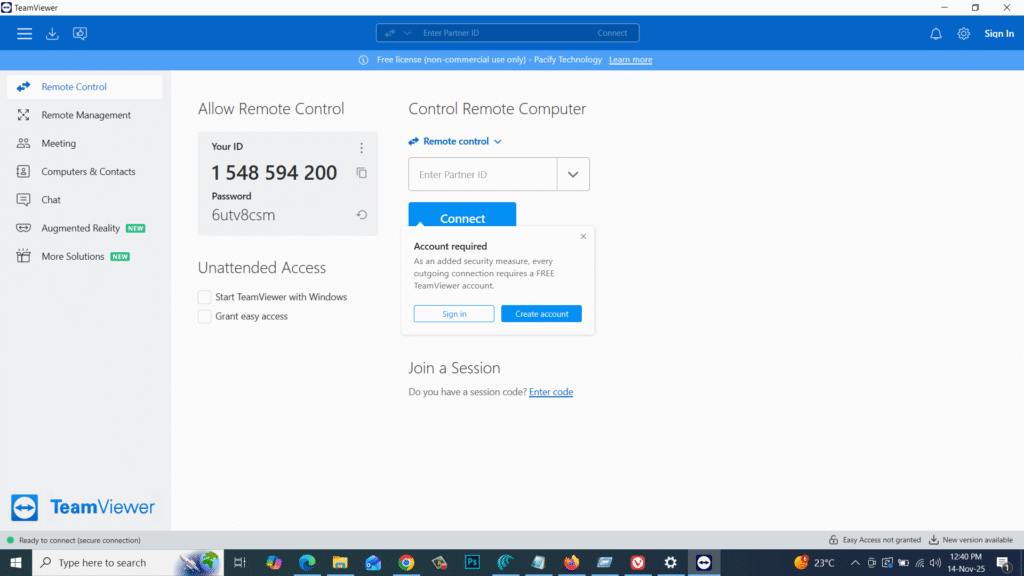
Whether you want to fix someone’s PC, access your office computer remotely, transfer files, or hold online meetings — TeamViewer offers an easy, secure, and high-performance solution.
This version includes improved connection stability, enhanced security, and better performance for remote sessions. It supports end-to-end encryption, multi-platform access, and seamless file sharing, making it ideal for IT support, businesses, and personal remote use.
⚙️ Key Features
- 💻 Remote Desktop Control – Access and control any PC from anywhere.
- 🔒 End-to-End Encryption – Safe and secure encrypted remote sessions.
- ⚡ Fast & Stable Connections – Smooth performance even on slow networks.
- 📁 File Transfer Support – Drag-and-drop file sharing between devices.
- 🌐 Cross-Platform Compatibility – Windows, macOS, Linux, Android, iOS.
- 🧩 Multi-Monitor Support – Switch between multiple screens easily.
- 🎥 HD Screen Sharing – High-quality visuals for teaching & presentations.
- 👥 Online Meetings & Chat – Chat, video calls, and voice support included.
- 🛠️ Unattended Access – Control systems without user presence.
- 🆓 Free for Personal Use – No license needed for non-commercial usage.
💻 System Requirements
Software Name: TeamViewer 15.40.8.0 (x64)
Developer: TeamViewer GmbH
Supported OS: Windows 7 / 8 / 10 / 11 (64-bit)
Minimum Requirements:
- CPU: Dual-Core Processor
- RAM: 2 GB (4 GB recommended)
- Storage: 200 MB free disk space
- Internet: Required for remote sessions
🔑 License Information
Version: 15.40.8.0
License: Free for Personal Use / Paid for Business
Developer: TeamViewer GmbH
Release Type: Offline Installer / Full Setup (x64)
📥 Download & Installation Steps
- Download the TeamViewer 15.40.8.0 (x64) installer.
- Run TeamViewer_Setup_x64.exe.
- Select installation type (Basic / Unattended / Server).
- Complete the setup wizard.
- Launch TeamViewer and start remote control or file transfer.
💡 Recommended Tools (Optional)
- 👉 AnyDesk Remote Desktop
- 👉 Chrome Remote Desktop
- 👉 Windows Remote Assistance
- 👉 UltraViewer for Windows
- 👉 WinRAR / 7-Zip File Tools
⚠️ Disclaimer
TeamViewer is developed and owned by TeamViewer GmbH.
All product names, trademarks, and logos belong to their respective owners.
This software setup is provided for personal, educational, and support purposes only.
Password : www.softfiles.in









