

🎬 Download Filmora 9.5.0.20 (Video Editing Software for Windows)
📝 Overview
Wondershare Filmora 9.5.0.20 is a powerful, easy-to-use video editing software designed for creators, YouTubers, students, and professionals who want to create stunning videos with minimal effort. Filmora 9 combines an intuitive interface with advanced editing tools—making it perfect for beginners as well as pro editors.
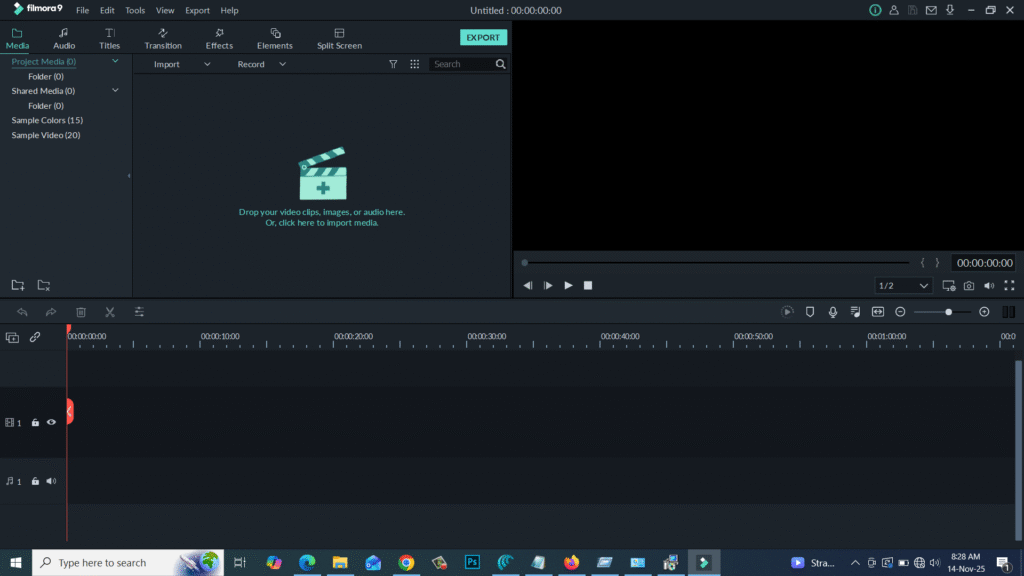
This version allows you to cut, trim, merge, add effects, transitions, filters, music, overlays, and titles effortlessly. With smooth performance and GPU acceleration, Filmora 9.5.0.20 delivers fast rendering and high-quality exports up to 4K resolution.
⚙️ Key Features
- 🎞️ Drag-and-Drop Editing: Beginner-friendly editing interface.
- 🎨 900+ Effects & Presets: Filters, transitions, overlays, elements, titles, and more.
- 🎤 Audio Tools: Noise removal, equalizer, fade in/out, voiceover recorder.
- 🖼️ Picture-in-Picture (PIP): Add multiple layers of videos and images.
- 💻 4K Editing Support: Export high-quality videos up to 4K UHD.
- 🕊️ Green Screen / Chroma Key: Replace backgrounds easily.
- ⚡ Fast Rendering: GPU acceleration for smooth preview and export.
- 🔊 Audio Sync: Automatically sync audio with video.
- ✂️ Precise Cutting & Trimming: Frame-accurate timeline editing.
- 📤 Easy Export Options: Export to MP4, MOV, MKV, AVI, YouTube, Vimeo, etc.
💻 System Requirements
Software Name: Wondershare Filmora 9.5.0.20
Developer: Wondershare
Supported OS: Windows 7 / 8 / 10 / 11 (64-bit required)
Processor: Intel i3 or better (Multicore recommended)
RAM: Minimum 4 GB (8 GB recommended)
Storage: 2 GB free disk space
GPU: Intel HD Graphics 5000 / NVIDIA / AMD (for rendering support)
🔑 License Information
Version: 9.5.0.20
License: Free Trial (Official)
Developer: Wondershare
Release Type: Stable / Offline Installer
❗ Note: Filmora requires a valid license for exporting without watermark.
SoftFiles.in provides only the official trial installer—no cracks or illegal tools.
📥 Download & Installation Steps
- Click the Download button to get the official Filmora 9.5.0.20 setup.
- Extract the ZIP file if required.
- Run the installer (
filmora_9.5.0.20.exe). - Follow the on-screen instructions to complete installation.
- Launch Filmora and start editing your videos effortlessly.
💡 Recommended Tools
👉 Adobe Premiere Pro
👉 DaVinci Resolve (Free)
👉 Filmora 11 / Filmora 12 Latest Version
⚠️ Disclaimer
Wondershare Filmora is a registered product of Wondershare Technology.
SoftFiles.in provides only original, safe, and verified setup files for learning and personal use.
Password : www.softfiles.in









