

📘 Download Foxit PDF Reader (Free PDF Reader for Windows)
📝 Overview
Foxit PDF Reader is a lightweight, fast, and secure PDF viewing and editing software developed by Foxit Software Inc. It’s a powerful alternative to Adobe Reader, offering users an efficient way to view, print, sign, and annotate PDF documents.
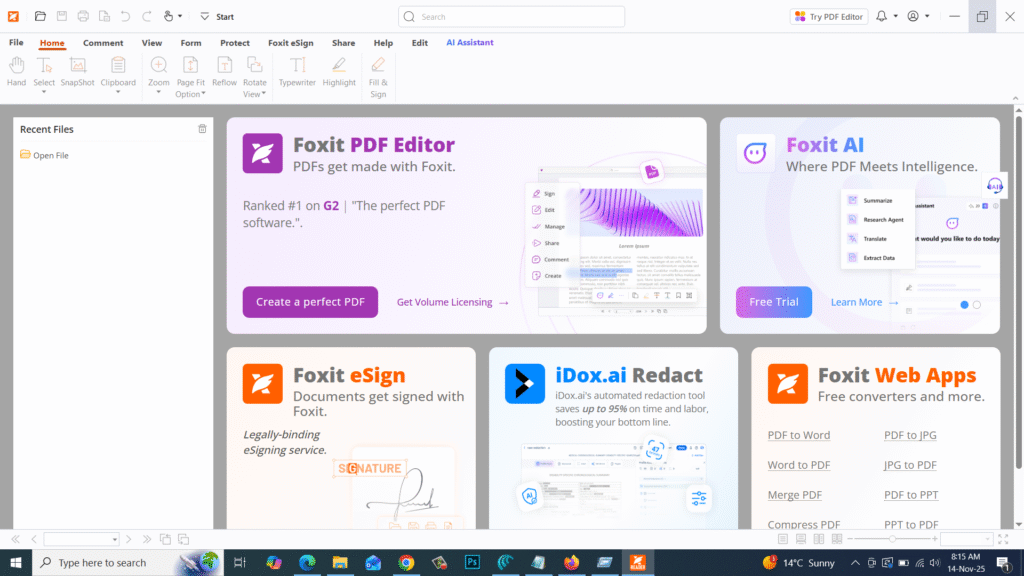
Foxit Reader is widely used for its small file size, lightning-fast performance, and advanced security features. It supports collaboration, allowing multiple users to comment, share, and review PDFs seamlessly. Whether you’re a student, office professional, or business owner, Foxit Reader provides everything you need to manage PDFs easily.
⚙️ Key Features
- 📄 Open & View PDFs: Quickly open and navigate PDF files of any size.
- ✏️ Annotate & Highlight: Add notes, comments, stamps, and highlights to documents.
- 🖊️ Fill & Sign Forms: Fill out interactive forms and digitally sign PDF files.
- ☁️ Cloud Integration: Sync and store PDFs with Google Drive, OneDrive, or Dropbox.
- 🔒 Advanced Security: Protect files with encryption, password, and permission controls.
- 📑 Text-to-Speech Mode: Listen to PDF content using built-in reading tools.
- 📤 Collaboration Tools: Share feedback and review PDFs with others easily.
- ⚡ Lightweight & Fast: Opens PDFs faster than most other PDF readers.
💻 System Requirements
Software Name: Foxit PDF Reader
Developer: Foxit Software Inc.
Supported OS: Windows 7 / 8 / 8.1 / 10 / 11 (32-bit & 64-bit)
Processor: Intel Pentium 4 or higher
RAM: Minimum 1 GB (2 GB recommended)
Storage: 500 MB free disk space
Display: 1024×768 resolution or higher
🔑 License Information
Version: Latest Stable Release
License Type: Freeware (Official)
Developer: Foxit Software Inc.
Release Type: Stable / Offline Installer
✅ Foxit PDF Reader combines speed, simplicity, and reliability — making it one of the most popular PDF tools for professionals and everyday users alike.
📥 Download & Installation Steps
- Click the “Download” button below to get the Foxit PDF Reader setup.
- Extract the ZIP file (if required).
- Run the installer (
FoxitReaderSetup.exe) and follow on-screen instructions. - Launch the app after installation.
- Start reading, editing, or signing PDF documents instantly.
💡 Recommended Tools (Optional)
👉 Adobe Reader 11
👉 Microsoft Office 2016 Pro Plus
👉 WinRAR 7.1 (64-bit)
⚠️ Disclaimer
Foxit PDF Reader is developed and owned by Foxit Software Inc.
All trademarks, product names, and logos are the property of their respective owners.
SoftFiles.in provides only original, verified setup files for safe installation.
Password : www.softfiles.in









