
🧩 Download VirtualBox 6.1.36 – Free Virtualization Software for Windows (64-bit)
📝 Overview
VirtualBox 6.1.36 is a powerful and open-source virtualization software developed by Oracle that allows users to run multiple operating systems simultaneously on a single computer. It is one of the most reliable tools for testing, development, and virtualization needs — compatible with Windows, Linux, macOS, and Solaris hosts.
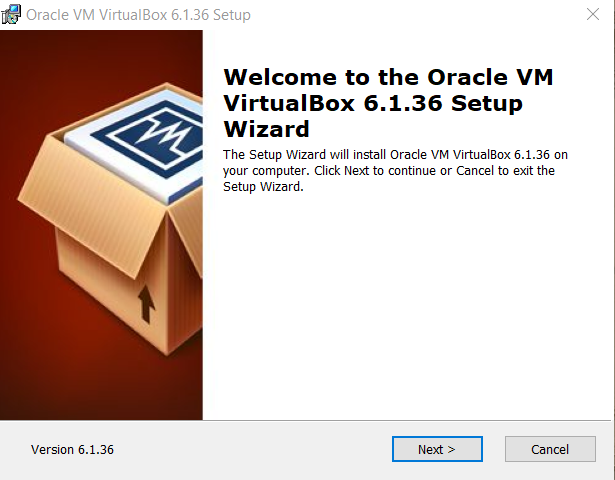
Installing Overview of VirtualBox
Starting Overview of VirtualBox
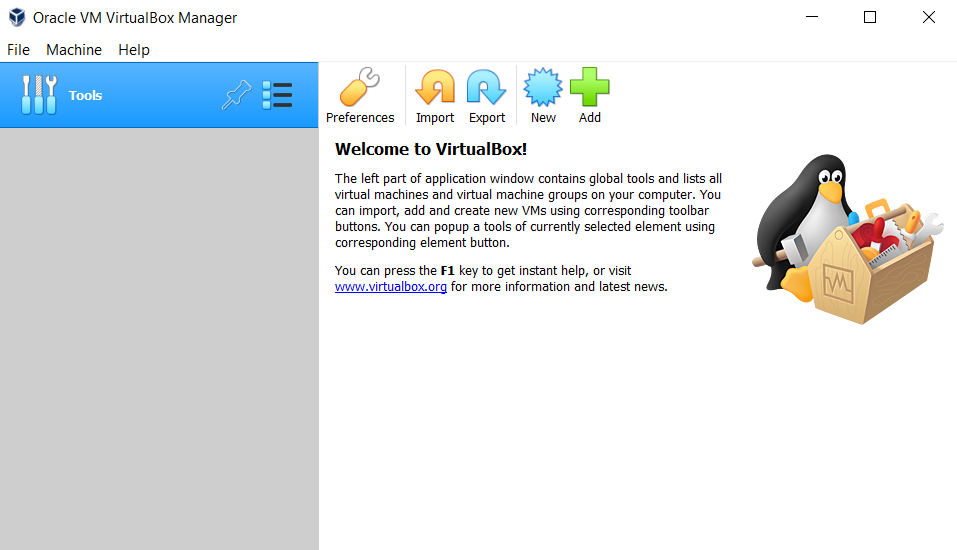
With VirtualBox, you can create virtual machines to install and run Windows, Linux, Ubuntu, macOS, Android OS, and more — all without rebooting your PC. This version (6.1.36) comes with improved hardware compatibility, enhanced graphics performance, and security updates, making it perfect for both developers and IT professionals.
⚙️ Key Features
- 💻 Multi-OS Virtualization: Run multiple operating systems side-by-side.
- 🧠 Cross-Platform Support: Works on Windows, Linux, macOS, and Solaris hosts.
- ⚙️ Snapshots & Cloning: Save system states and easily restore or duplicate VMs.
- ⚡ Hardware Acceleration: Enhanced performance with Intel VT-x & AMD-V support.
- 🧩 Shared Folders & Clipboard: Seamless file sharing between host and virtual machines.
- 🧱 3D & 2D Graphics Acceleration: Improved visual performance for heavy applications.
- 🔒 Safe Testing Environment: Run software or OS builds without affecting your main system.
- 🧰 Command-Line Management: Advanced users can control VMs through CLI.
- 🌐 Networking Support: Full virtual networking including NAT, bridged, and host-only modes.
- 🔄 USB & Peripheral Support: Connect flash drives, printers, and external devices to VMs.
💻 System Requirements
Operating System: Windows 7 / 8 / 8.1 / 10 / 11 (64-bit)
Processor: Intel or AMD Dual-Core CPU (with virtualization support)
Memory (RAM): Minimum 2 GB (4 GB recommended)
Storage: 500 MB for installation (additional space for VMs)
Graphics: DirectX 9 or higher compatible GPU
Internet: Required for updates and extensions
🔑 License Information
Version: VirtualBox 6.1.36
License Type: Freeware / Open Source (GPL)
Developer: Oracle Corporation
Release Type: Stable Build
✅ VirtualBox is completely free and open-source.
It is trusted by professionals for testing new operating systems, software development, and virtualization tasks.
📥 Download & Installation Steps
- Click the “Download” button below to get VirtualBox 6.1.36 for Windows.
- Run the setup file and follow the on-screen installation process.
- Once installed, open VirtualBox and click “New” to create a virtual machine.
- Select the OS type (e.g., Windows, Linux, etc.) and configure storage, RAM, and CPU.
- Load your ISO file and start your virtual machine instantly.
💡 Recommended Tools (Optional)
👉 Download Windows 10 ISO
👉 Download Ubuntu 22 ISO
👉 Download Android OS for PC ISO
⚠️ Disclaimer
VirtualBox 6.1.36 is an open-source product developed by Oracle Corporation.
All rights and trademarks belong to their respective owners.
This software is provided for testing, educational, and development purposes only.
Password : www.softfiles.in









