

💼 Download Tally Prime 2.1 (Offline Installer) – Full Version for Windows
📝 Overview
Tally Prime 2.1 is the next-generation business accounting and GST management software developed by Tally Solutions Pvt. Ltd., built to simplify business operations and empower entrepreneurs with a modern, intuitive interface.
Starting Overview
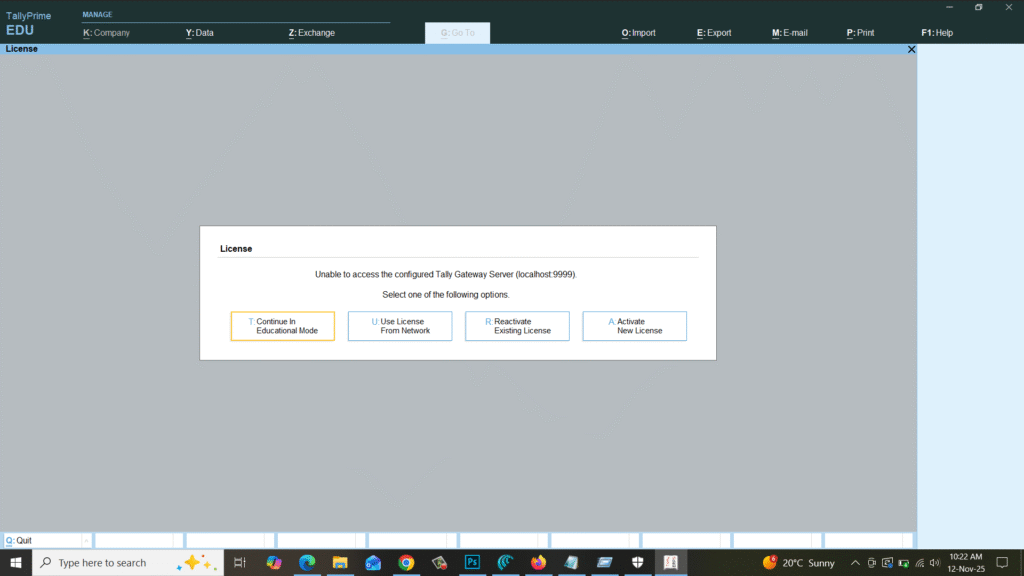
Gateway of Tally Prime 2.1
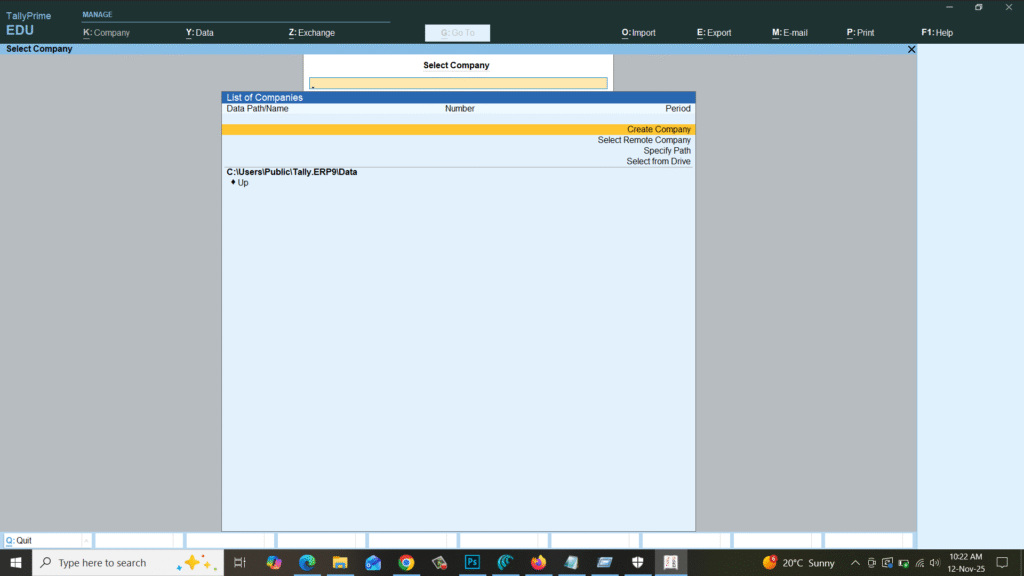
The upgrade from Tally ERP 9 to Tally Prime brings a fresh look, faster navigation, and powerful automation features for accounting, inventory, taxation, payroll, and reporting.
With GST-ready tools, remote access, and multi-user support, Tally Prime 2.1 helps businesses maintain compliance, speed, and accuracy with ease.
Whether you’re a small business owner or a professional accountant, Tally Prime 2.1 is your all-in-one solution for smarter business management.
⚙️ Key Features
- 💼 All-in-One Business Suite: Manage accounting, inventory, payroll, and billing in one software.
- 🧾 GST Ready: Simplify GST return filing, e-invoicing, and reports.
- ⚡ Faster Navigation: Modern UI and shortcut-driven workflow for maximum productivity.
- ☁️ Remote Access: Access business data securely from anywhere.
- 🧰 Enhanced Reporting: Generate financial statements, tax summaries, and ledgers instantly.
- 🔒 Data Security: Encryption, password protection, and user-level access control.
- 🔁 Multi-User Collaboration: Multiple users can work simultaneously across a LAN.
- 📊 Smart Inventory Management: Manage stock, pricing, and product tracking seamlessly.
- 💡 Business Insights: Analyze profit/loss and growth with real-time data visualization.
- ⚙️ Customizable Interface: Tailor menus, reports, and dashboards to your needs.
💻 System Requirements
Operating System: Windows 7 / 8 / 8.1 / 10 / 11 (32-bit & 64-bit)
Processor: Intel Dual Core or higher
Memory (RAM): Minimum 2 GB (4 GB recommended)
Storage: 500 MB free disk space
Display: 1024×768 resolution or higher
Internet: Optional (for updates and remote access)
🔑 License Information
Version: Tally Prime 2.1
License Type: Trialware / Commercial License
Developer: Tally Solutions Pvt. Ltd.
Release Type: Full Offline Installer
✅ The Tally Prime 2.1 setup includes a free educational/trial version, which can later be activated using a valid Tally license key for business use.
📥 Download & Installation Steps
- Click on the “Download” button below to get the Tally Prime 2.1 setup file.
- Run
setup.exeand follow the installation wizard. - Select installation type: Educational / License Activation.
- Wait for the installation to complete, then restart your PC.
- Launch Tally Prime 2.1 and start managing your business efficiently.
💡 Recommended Tools (Optional)
👉 Download WinRAR – Extract Setup Files Easily
👉 Download PC Health Check – Improve System Performance
⚠️ Disclaimer
This post provides the official Tally Prime 2.1 trial version for educational and evaluation purposes.
All rights belong to Tally Solutions Pvt. Ltd.
To use this software commercially, activation with a genuine license is required.
Password : www.softfiles.in









